
AlvaStamp
Batch PDF watermark stamper for Windows 11 — part of AlvaSuite.
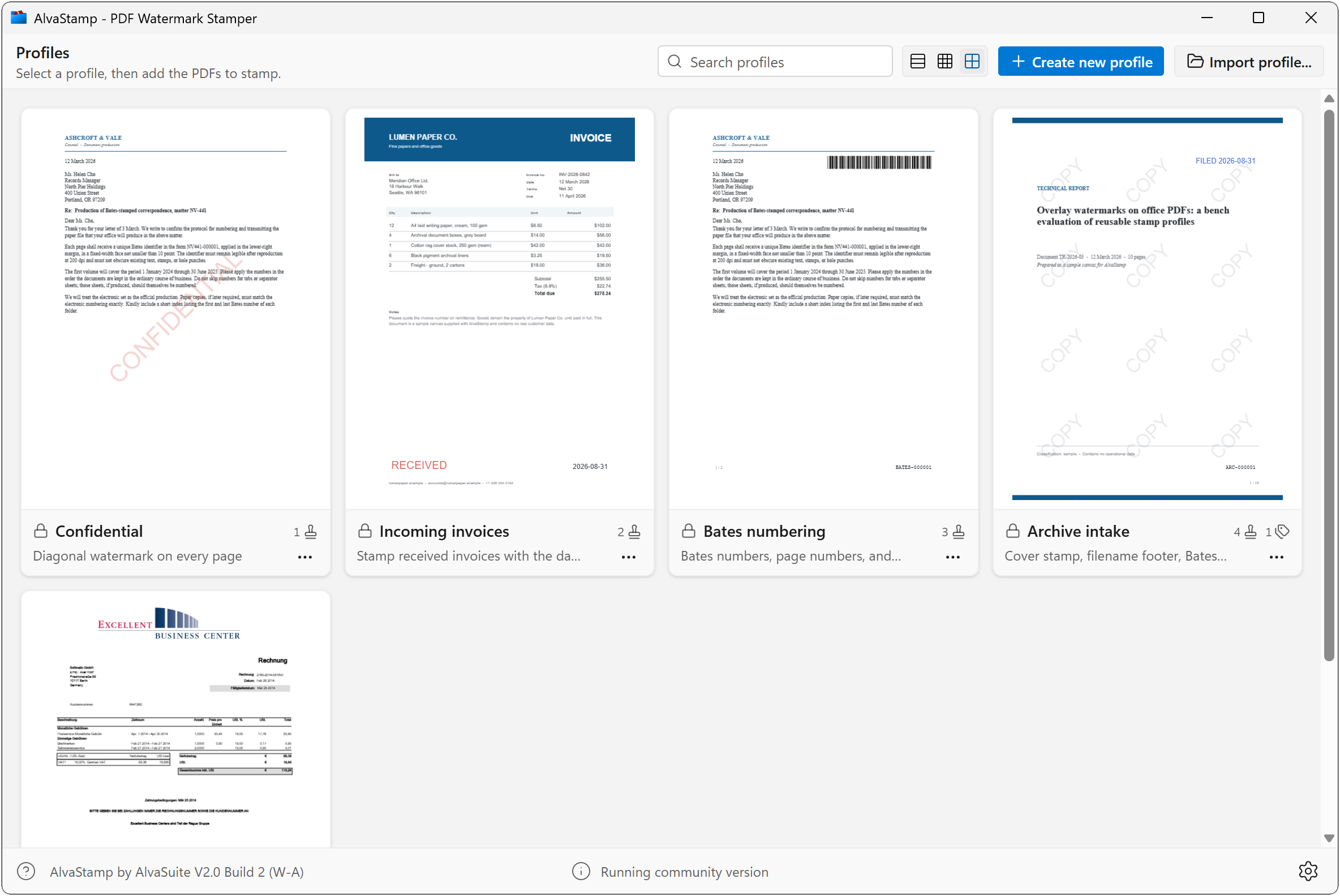
Desktop app for batch-stamping watermarks onto PDF documents. Build a profile once with text, logos, barcodes, Bates numbers, or page metadata, drop in a folder of PDFs, and stamp them all. All processing happens locally — documents never leave the machine.
Features
- Profiles — save named stamp recipes with one or more watermarks; duplicate, edit, and reuse them for each job
- Watermark types — text, images (PNG, JPEG, SVG, PDF), barcodes, Bates numbers, and PDF metadata (page labels and /PieceInfo)
- Layout — nine page positions, rotation, opacity, tiling, a safe zone from the page edge, and page rules (all, first, last, odd, even, every Nth)
- Variables — insert date, time, filename, folder, page, username, computer, document title, and Bates tokens
- Live preview — design on a blank page, sample documents, or your own PDFs; step through pages before you stamp
- Batch output — drop files or entire folders; save next to the originals or to an output folder; sequential names, prefixes, date/time, and clash handling
System requirements
Windows 10, Windows 11 (recommended)
Languages
English, Deutsch, Français, Español
Pricing
We suffer from subscription-fatigue like everyone else. Hence, AlvaStamp does not require a subscription. Instead licenses are available as a simple lifetime, one-time purchase, and creating an account is also not required.
The Community version stamps text, images, Bates numbers, metadata, and Code 39 barcodes. Pro adds all linear and 2D barcode types, profile import/export, and batch processing from the command line and PowerShell.
The Pro in-app purchase is US$29.99, or the equivalent in your local currency. The amount charged is the price shown in the Microsoft Store at the time of purchase.
Download / Purchase

Manual
See the AlvaStamp user manual for installation, profiles, watermarks, batch output, and barcode data requirements.