AlvaLabel
Desktop label designer for Windows 11 and macOS — part of AlvaSuite.
Desktop app for composing and printing labels on the computer that owns the printer. Pick a sheet from Avery, Avery Zweckform, HERMA, or TownStix, design at real size, merge a catalog from Excel or CSV, and preview the full sheet before anything hits paper. Designs, product data, and printer settings stay on the machine — nothing is uploaded.
Online designers vs. a desktop that knows your printer
Browser-based label tools look convenient until you try to print. Product names, prices, and barcodes leave the building and sit on someone else’s server. The designer has no access to the physical printer: it cannot read hardware margins, paper path, or unprintable edges, so cut-off text and clipped barcodes show up only after a wasted sheet. Editing in a web page is clumsy — zoom fights the browser chrome, fonts depend on the network, and a dropped session can dump an unfinished layout.
AlvaLabel takes the opposite approach. It is a desktop app for Windows and macOS. When you choose a stock, it queries the installed printer for its actual printable area and overlays that on the sheet:
- a red overlay means the labels sit inside the printer’s unprintable margins and will be cut off — the designer then marks the same safe area on the label itself
- a green overlay means the stock’s margins are wider than the printer’s, so the labels print clear
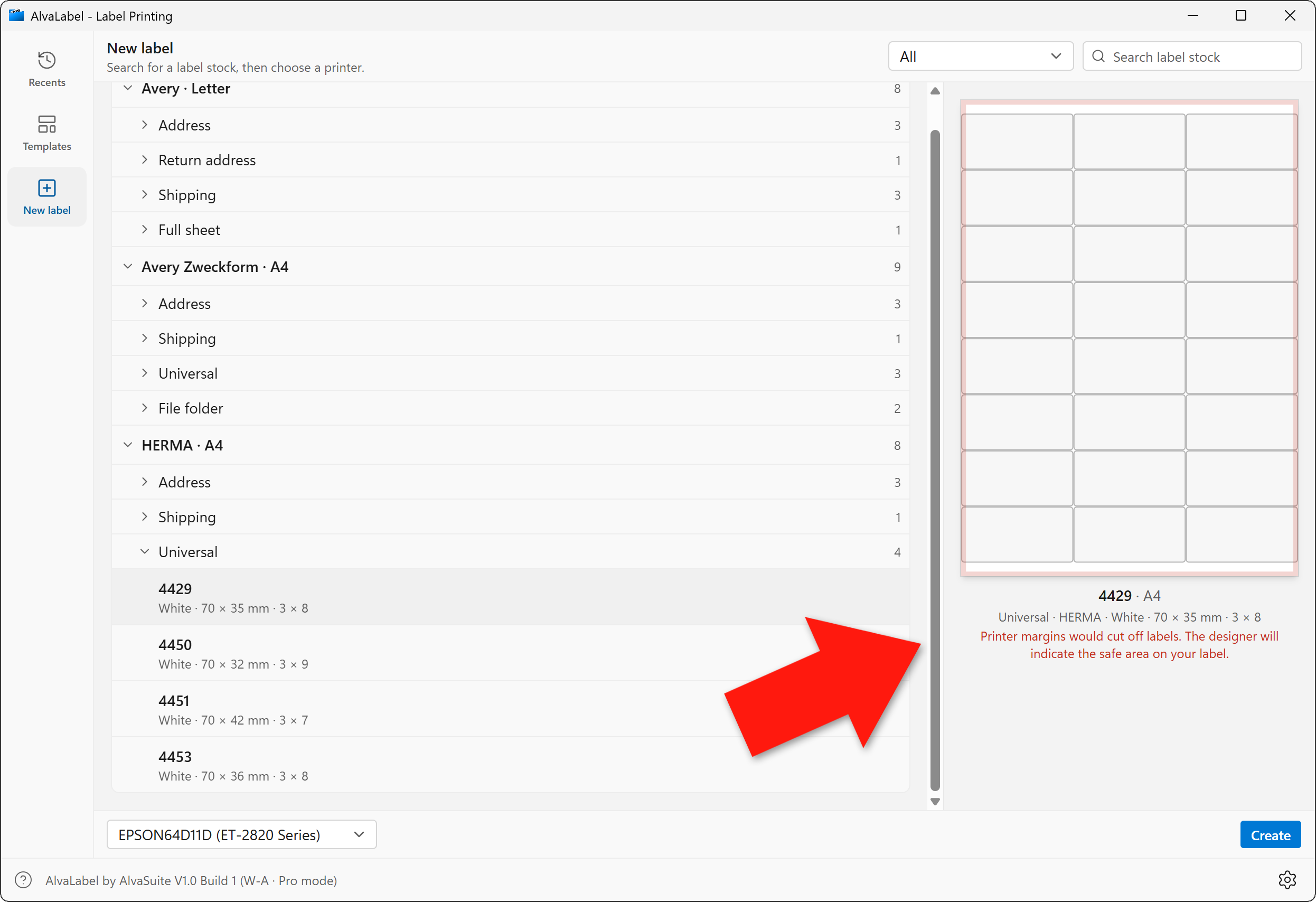
Red overlay: this HERMA 4429 sheet would be clipped by the Epson’s hardware margins. The designer will show the safe area on the label.
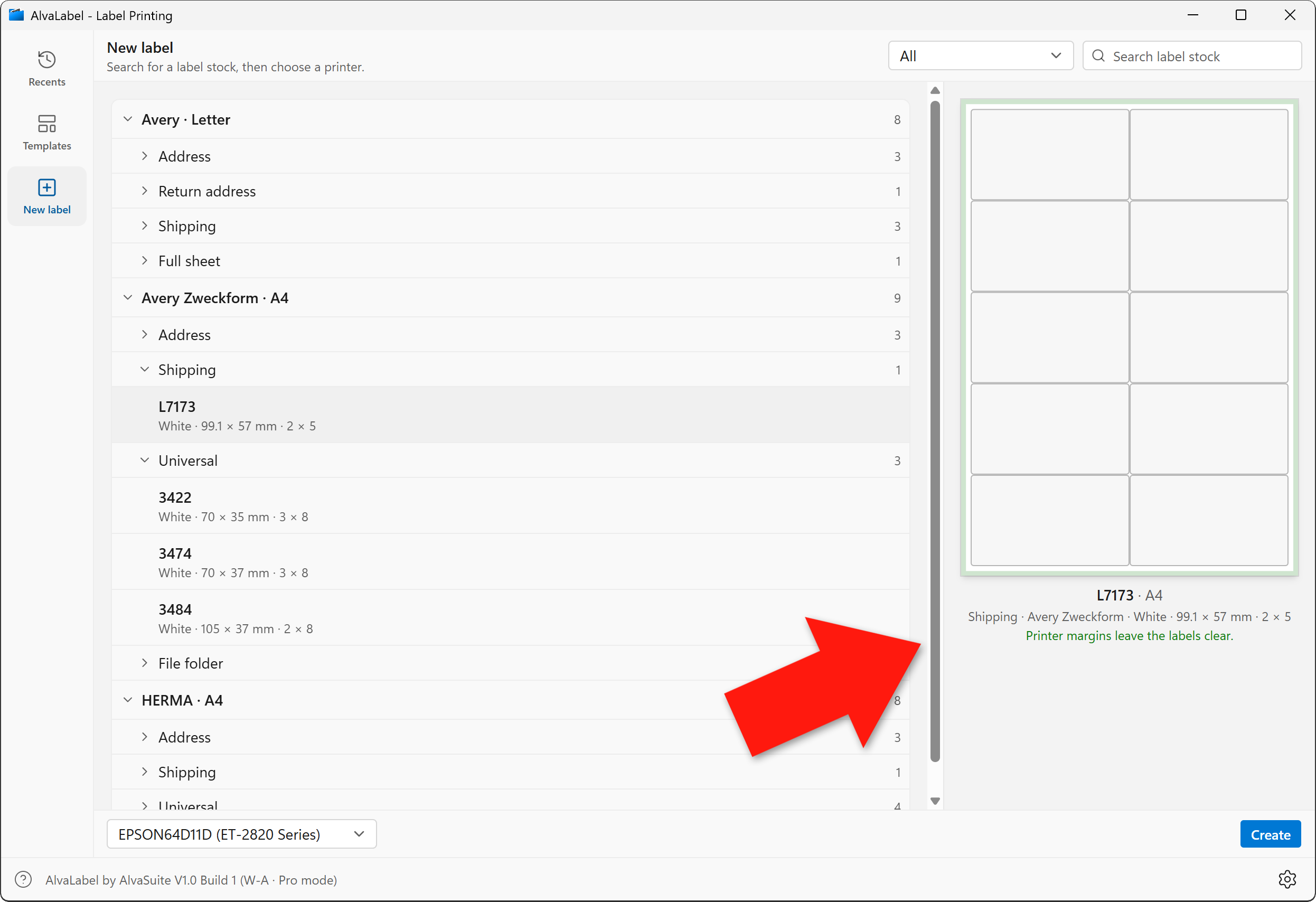
Green overlay: Avery Zweckform L7173 sits inside the printable area, so the labels will print in full.
The catalog covers sheets from all major brands — Avery (US Letter), Avery Zweckform (A4), HERMA (A4), and TownStix (A4) — in address, return, shipping, file-folder, universal, round, and full-sheet sizes. Search by stock number, filter by type, and start from a pack that matches what is on the shelf.
- Avery label formats — US Letter
- Avery Zweckform label formats — A4
- HERMA label formats — A4
- TownStix label formats — A4
External data sources
Most labels are not one-offs. Product stickers, asset tags, and shipping labels come from a catalog. AlvaLabel imports CSV and Excel workbooks: pick the sheet, ignore a header row, and choose which columns to bring in. Column names become field tokens you drop onto the label — name, SKU, manufacturer, price, EAN, and whatever else is in the file. Each row can print once, repeat a fixed number of times, or take the repeat count from an integer column.
A built-in sequential number series covers prefixes, suffixes, zero-padding, step, and hold, as text or as a barcode, with the option to continue from the last print run.
MySQL support will be added shortly, so catalogs that already live in a database can feed the same designer without an export round-trip.
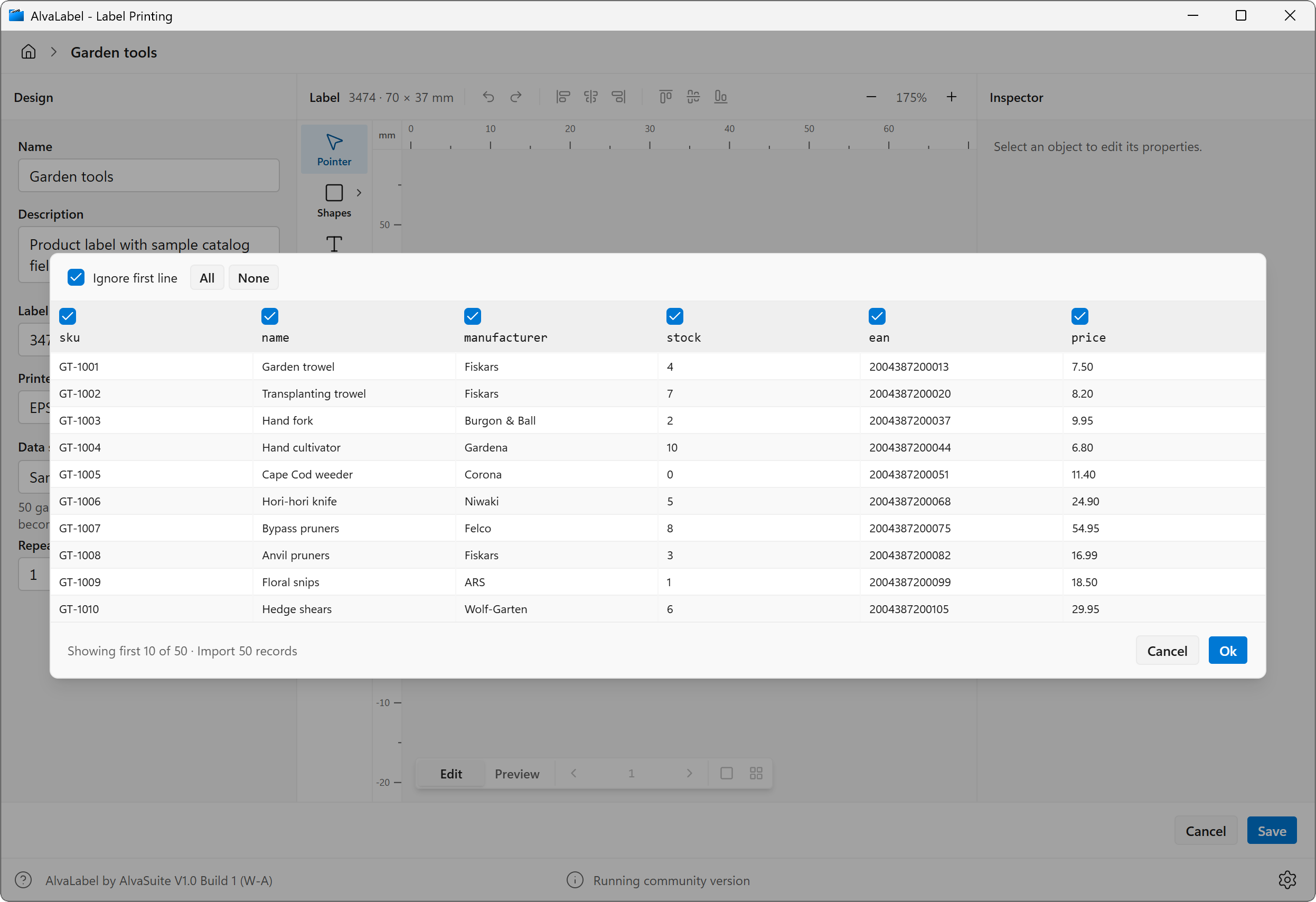
Import dialog: fifty catalog rows from Excel, with columns selected for SKU, name, manufacturer, stock, EAN, and price.
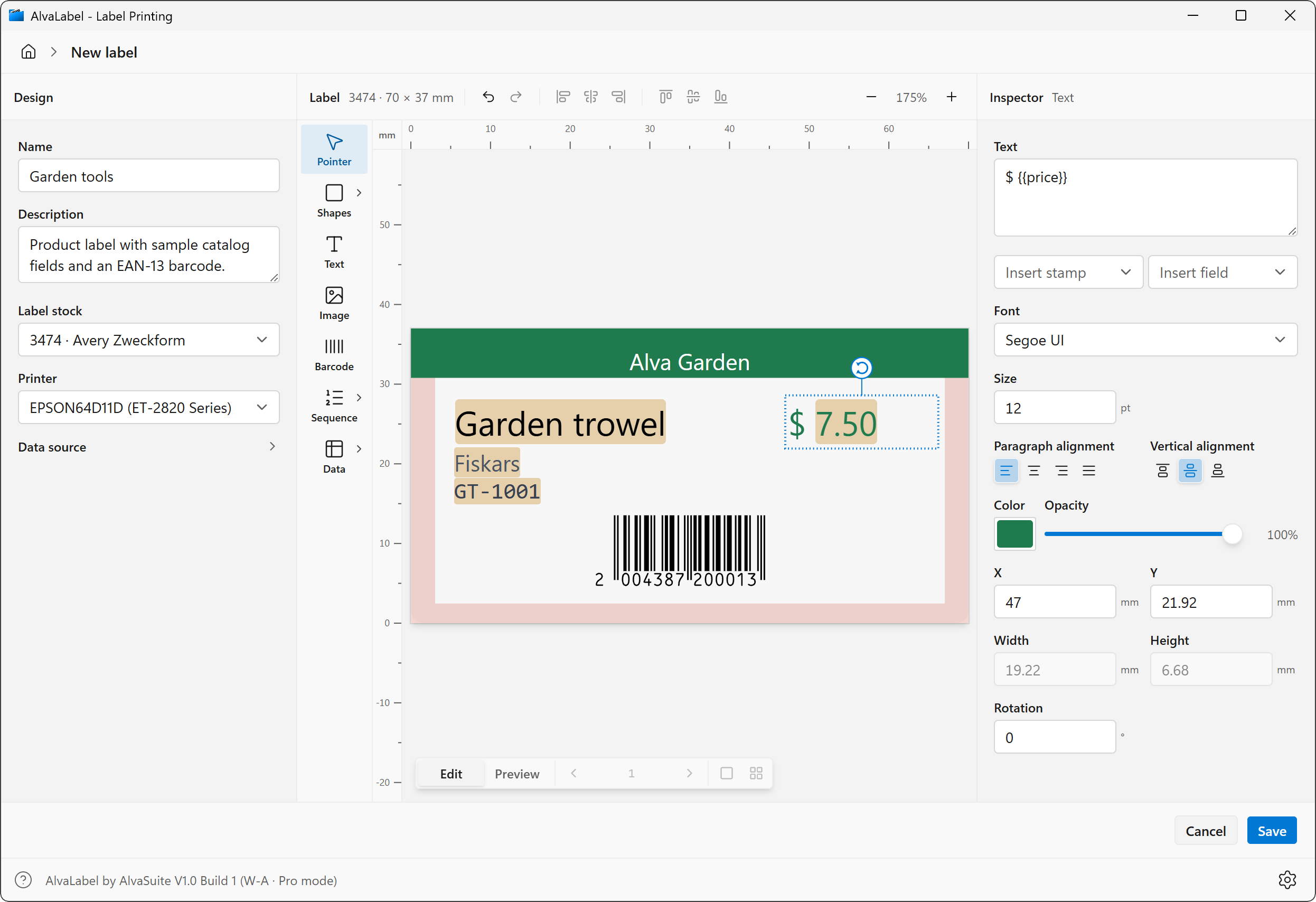
The same columns on the canvas: name, manufacturer, SKU, and price update live from the imported row.
Designer objects
The canvas is a conventional object editor, not a form wizard. Place and inspect:
- Shapes — rectangle, circle, ellipse, and line, with fill, stroke, opacity, and corner radius
- Text — any installed font, size, colour, and alignment; mix static copy with stamps and fields
- Images — PNG, JPEG, or SVG, embedded in the design or linked on disk
- Barcodes — linear and 2D, driven by typed data or a field
- Sequential numbers — a shared series for text or barcodes
- Data fields — a catalog column as text or as a barcode
Rulers, millimetre positioning, rotation, alignment, and stacking (bring to front / send to back) are available from the inspector and the context menu.
WYSIWYG, including live fields and stamps
AlvaLabel is a true WYSIWYG editor: the canvas is the label at real size. Stamps (print date, time, username, computer, label name) and fields (sequence counters and catalog columns) stay visible as tokens while you edit, then resolve to their current values on the canvas. Change the data source or step through rows and the label updates immediately — you see Garden trowel, Fiskars, GT-1001, and $ 7.50, not a forest of {{tokens}}.
Linear and 2D barcodes
AlvaLabel includes the same barcode engine as AlvaBars. Every common linear and 2D symbology is supported: EAN-8 and EAN-13, ISBN-10/13, ISSN, UPC-A and UPC-E, Code 128 and GS1-128, Interleaved and Industrial 2 of 5, ITF-14, Code 39, PZN, Laetus, Codabar, Data Matrix and GS1 Data Matrix, PDF417, QR Code, and Aztec. Module size, human-readable text, quiet-zone margin, and a transparent background are adjustable. Codes are generated locally and conform to the applicable GS1 and ISO standards.
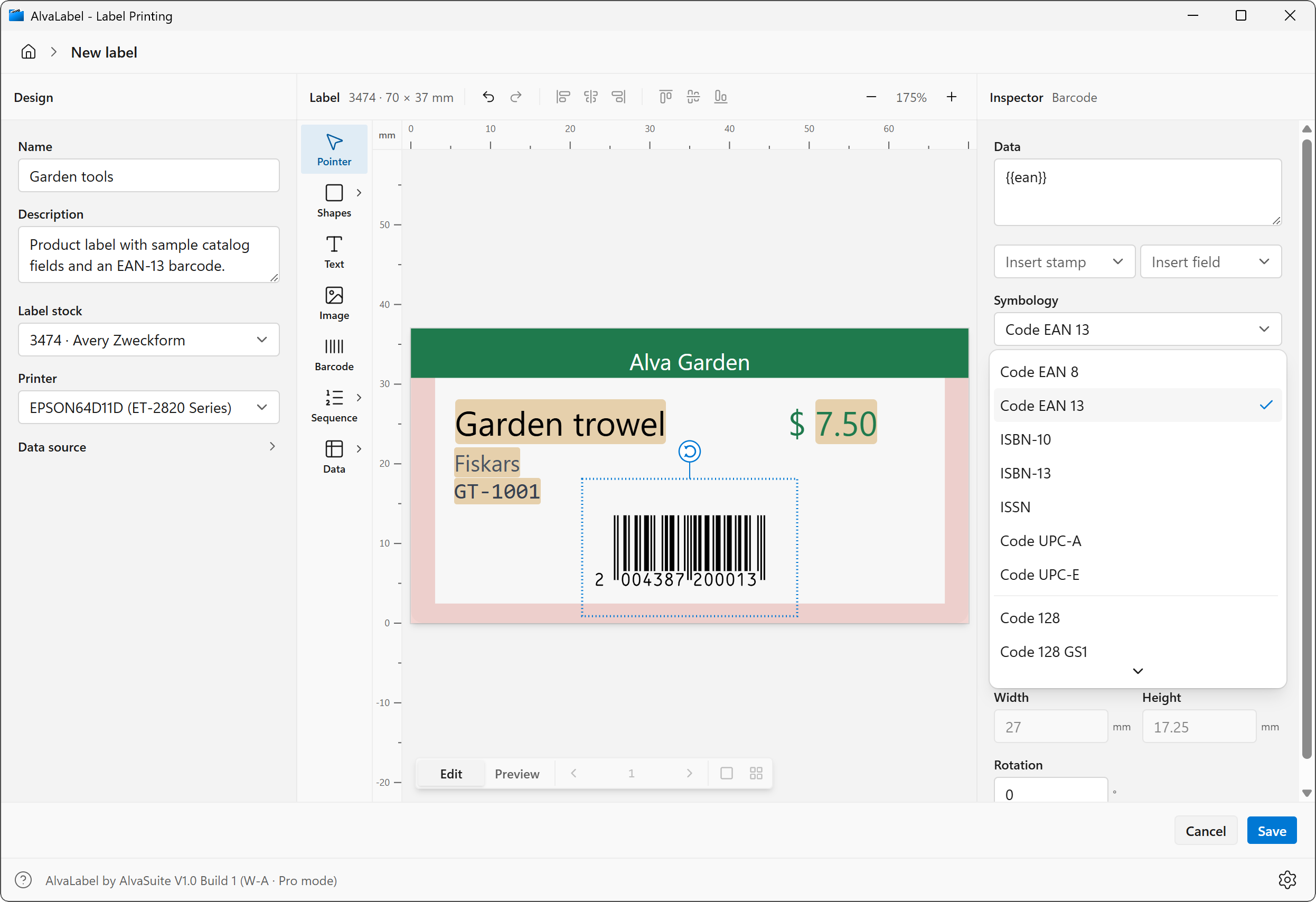
An EAN-13 bound to the {{ean}} field, with the full list of linear and 2D types in the inspector.
Full-sheet print preview
Switch from Edit to Preview and the canvas becomes a print preview: a single label, or the full sheet at the stock’s real grid. Step through pages of a merged catalog and see every label as it will come out of the printer — layout, data, barcodes, and all — not a thumbnail approximation.
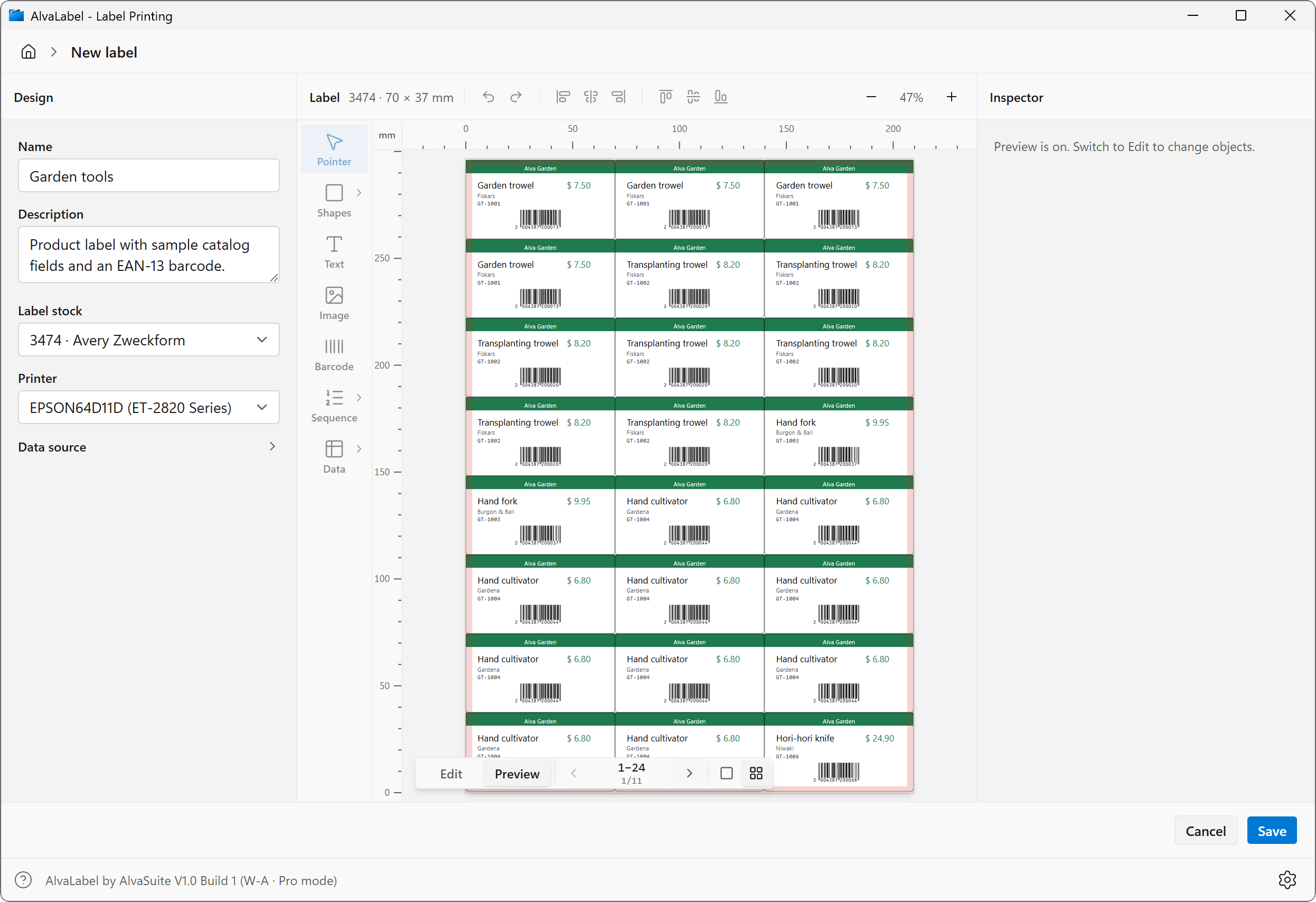
Full-sheet preview of an Avery Zweckform 3474 run: twenty-four product labels per page, with live catalog data and EAN-13 codes.
The print screen is a full-sheet job. Choose the installed printer, then set how many labels to put on paper.
Number of labels is either typed by hand or inferred from the data source: each catalog row once, a fixed repeat, or the values in a quantity column such as stock. The caption under the field shows the calculation — 247 labels from fifty records, repeat from stock, in the screenshot — and you can still override it.
Print order fills the sheet by rows (left to right, then down) or by columns (top to bottom, then across). On a partly used pack, click the first unused cell so the run skips spent labels on the first sheet and starts where the remaining stock begins. The preview greys out the skipped cells and shows the rest of the job as it will come out of the printer.
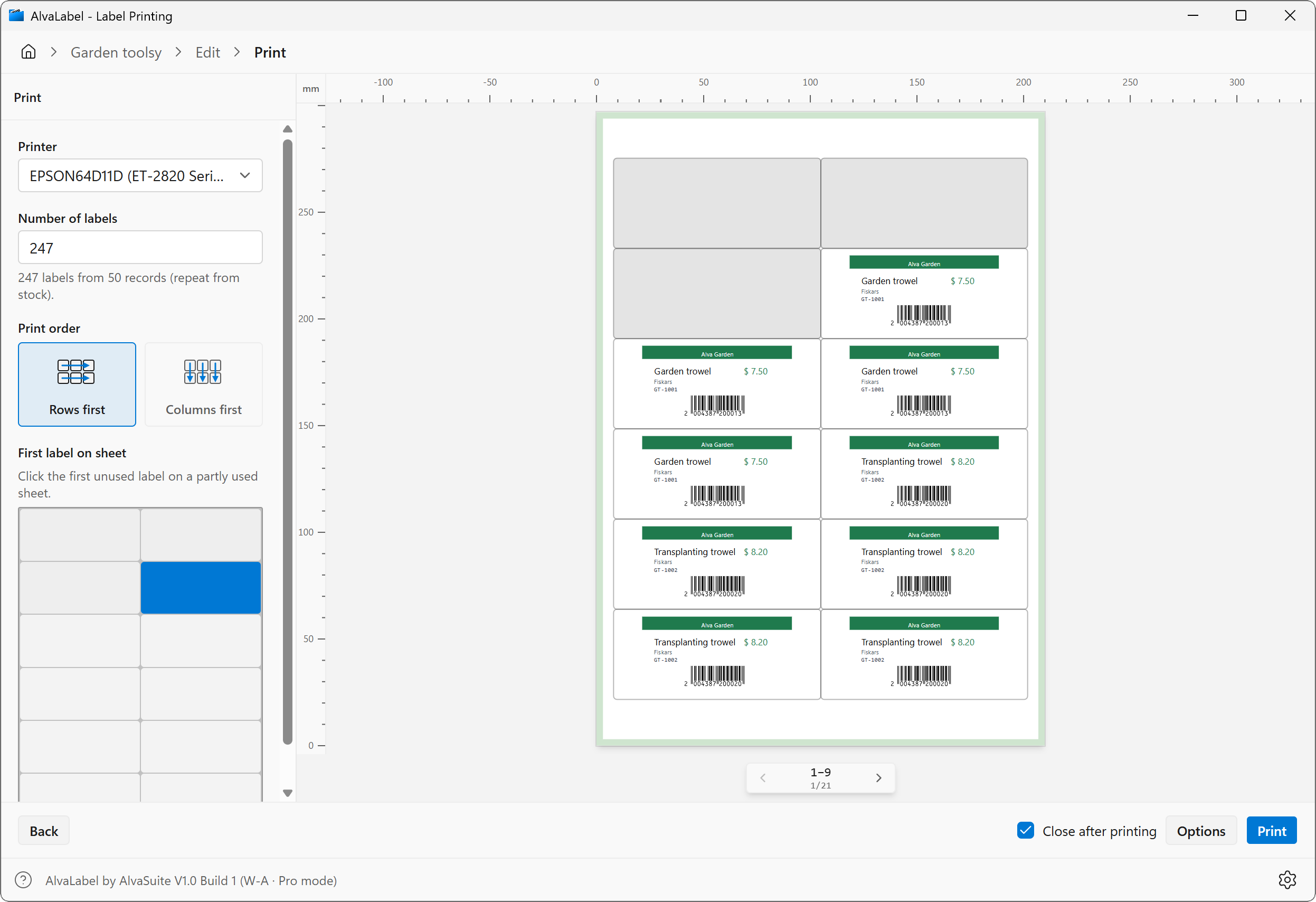
Print on Avery Zweckform L7173: 247 labels inferred from the catalog, rows-first fill, and the first three cells skipped on a partly used sheet.
System requirements
Windows 10, Windows 11 (recommended)
macOS 13 Ventura or later
Languages
English, Deutsch, Français, Español
Pricing
We suffer from subscription-fatigue like everyone else. Hence, AlvaLabel does not require a subscription. Instead licenses are available as a simple lifetime, one-time purchase, and creating an account is also not required.
The Community version designs and prints labels with text, shapes, images, sequential numbers, catalog fields, and Code 39 barcodes. Pro unlocks every linear and 2D barcode type. The amount charged is the price shown in the respective Store at the time of purchase.
Download / Purchase
Windows is available now from the Microsoft Store. The Mac version will follow on the Mac App Store.

Manual
See the AlvaLabel user manual for installation, Community vs Pro, the designer, data sources, and printing.
How the catalog and printer overlays work: One die, many SKUs and Asking Windows what the printer will actually print.