AlvaBars
Batch barcode generator for Windows 11 — part of AlvaSuite.
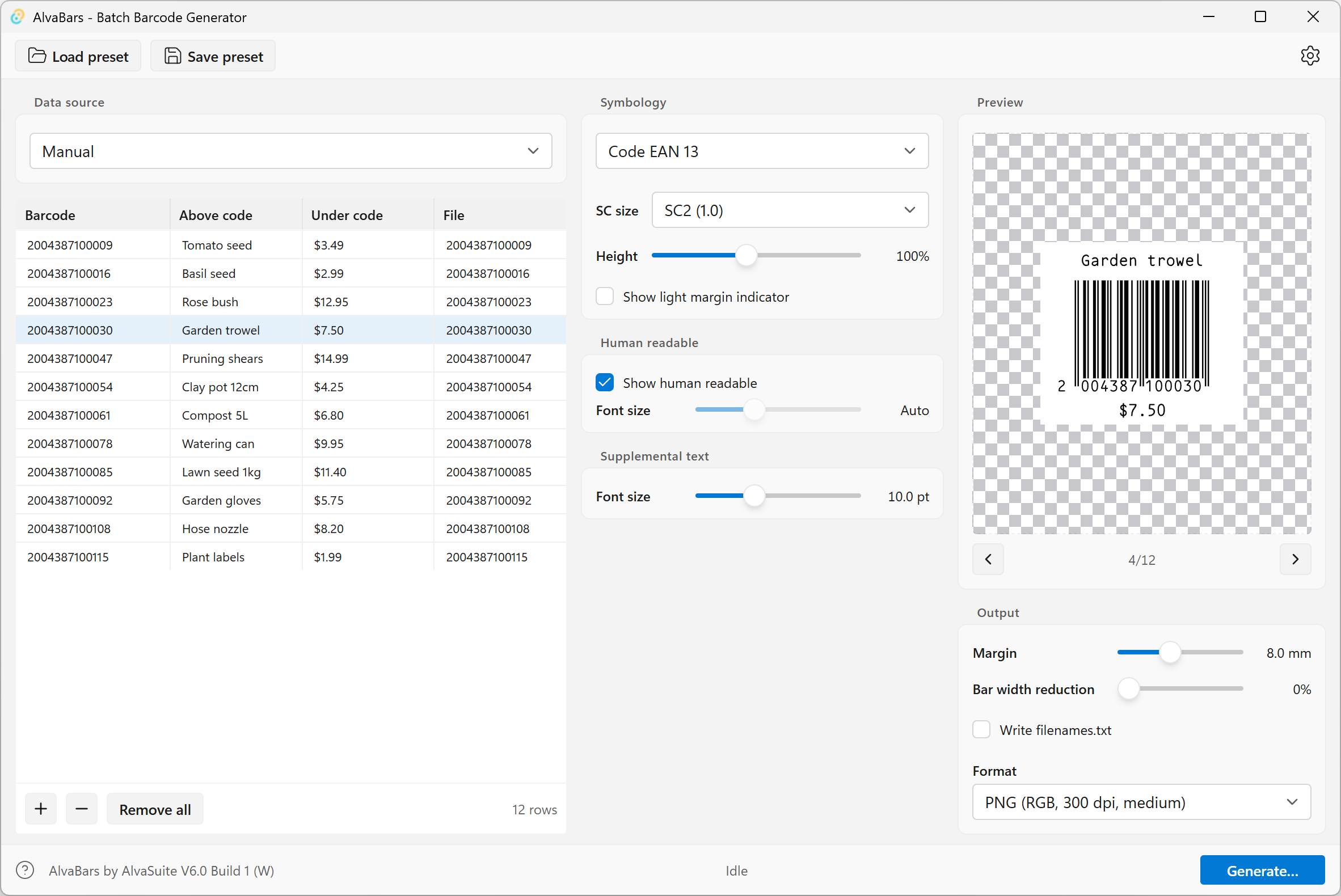
Desktop app for batch barcode generation. Build barcodes from a table, CSV, or a sequential number generator, preview them live, and export high-quality files.
Features
- Batch workflow — edit barcode data, additional text, and output filenames in a spreadsheet-style table
- Data sources — manual entry, CSV import, pasting from the clipboard, sequential number generator (mysql / postgres import upcoming)
- Symbologies — EAN/UPC/ISBN, Code 128 & GS1-128, Code 39, 2 of 5 / ITF-14, Codabar, QR, Data Matrix, Aztec, PDF417, and more. Barcode creation is very fast, using a proprietary library written in Rust. On an average PC or Laptop the app creates 10'000 PDF barcodes in around 2-3 seconds. All barcodes are guaranteed to conform to the applicable standards (GS1, ISO etc.)
- Live preview — SVG preview updates instantly as you change data, size or barcode settings; step through the batch
- Export — SVG (mobile / web use) and PDF (print-ready), PNG and TIFF-CMYK (up to 2400 dpi raster)
- Output options — margins, bar-width reduction, human-readable text, optional a
filenames.txtcan be generated for data merge into InDesign and similar applications - Command line (Pro) — generate batches from a JSON settings file plus CSV, without opening the UI
System requirements
Windows 10, Windows 11 (recommended)
Languages
English, Deutsch, Français, Español
Pricing
We suffer from subscription-fatigue like everyone else. Hence, AlvaBars does not require a subscription. Instead licenses are available as a simple lifetime, one-time purchase, and creating an account is also not required.
The Community version can use every symbology; export is limited to PNG at 150 dpi. Pro unlocks high-resolution raster export (PNG and CMYK TIFF up to 2400 dpi), vector export (SVG and PDF), and batch processing from the command line and PowerShell.
The Pro in-app purchase is US$29.99, or the equivalent in your local currency. The amount charged is the price shown in the Microsoft Store at the time of purchase.
Download / Purchase

Manual
See the AlvaBars user manual for installation, data import, export formats, barcode data requirements, and the command line.